Context Analysis
Context Analysis is Stealthium's AI SOC analyst. It does the legwork on an alert: it works through what the Stealthium agent recorded on the host around the alert, then writes up its findings, with links to the evidence behind them.
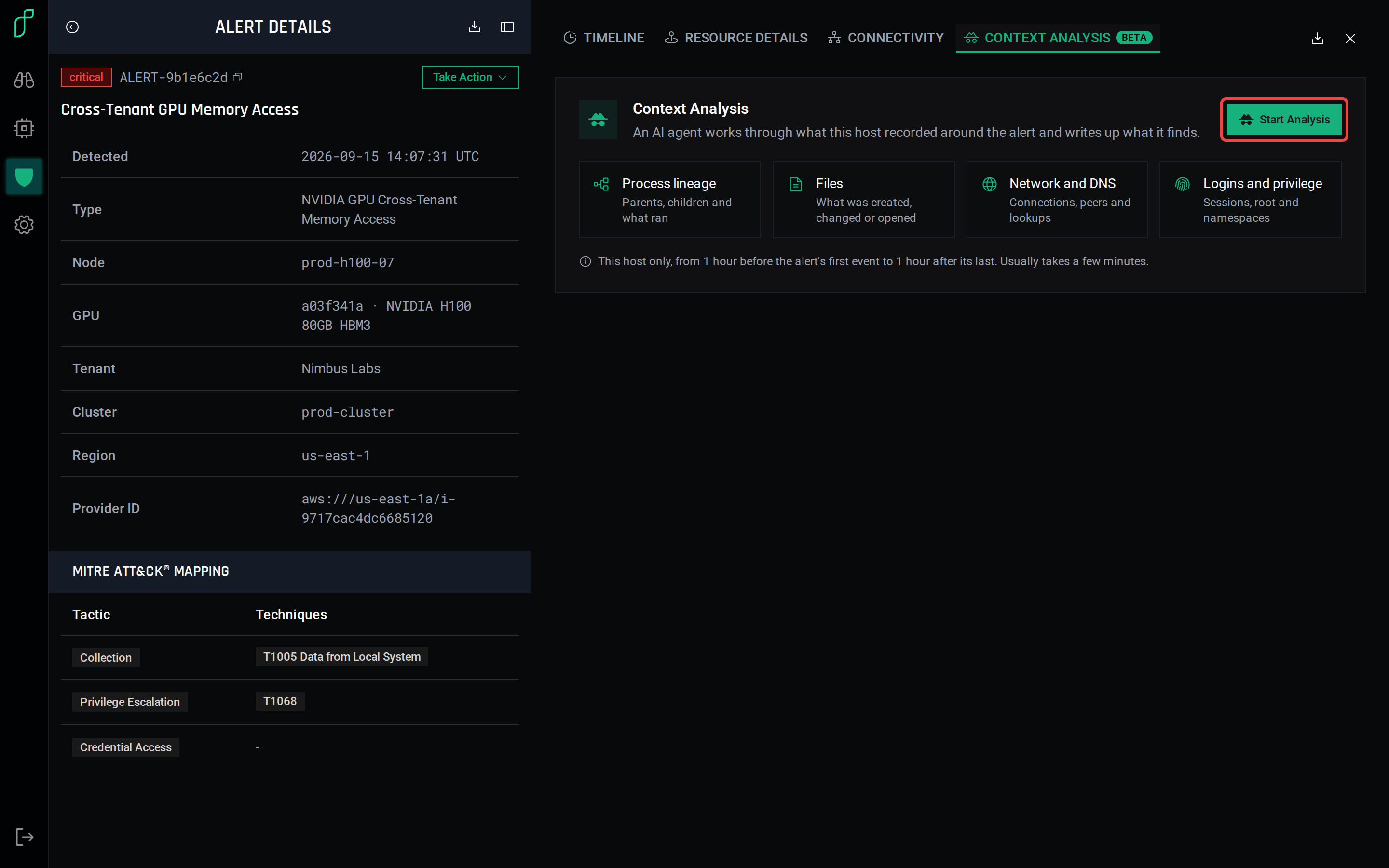
Starting an analysis
Open an alert from Security Alerts and click the Context Analysis tab, marked Beta. Nothing runs until you click Start Analysis.
Context Analysis queries recorded activity such as process lineage, files, network and DNS, and logins and privilege, on the alert's host only (or the VM guest the alert came from), from 1 hour before the alert's first event to 1 hour after its last. It reads only what your account can see in the alert's workspace, and changes nothing. Each of its queries appears as a step and, once it returns, shows how many events matched. A run usually takes a few minutes.
You can't come back to a run: switching between the alert's tabs keeps it, but leaving or reloading the alert discards it.
Reading the findings
The Findings open with a short summary, followed by sections such as the key facts and the sequence of events. Times count from the alert's Detected time.
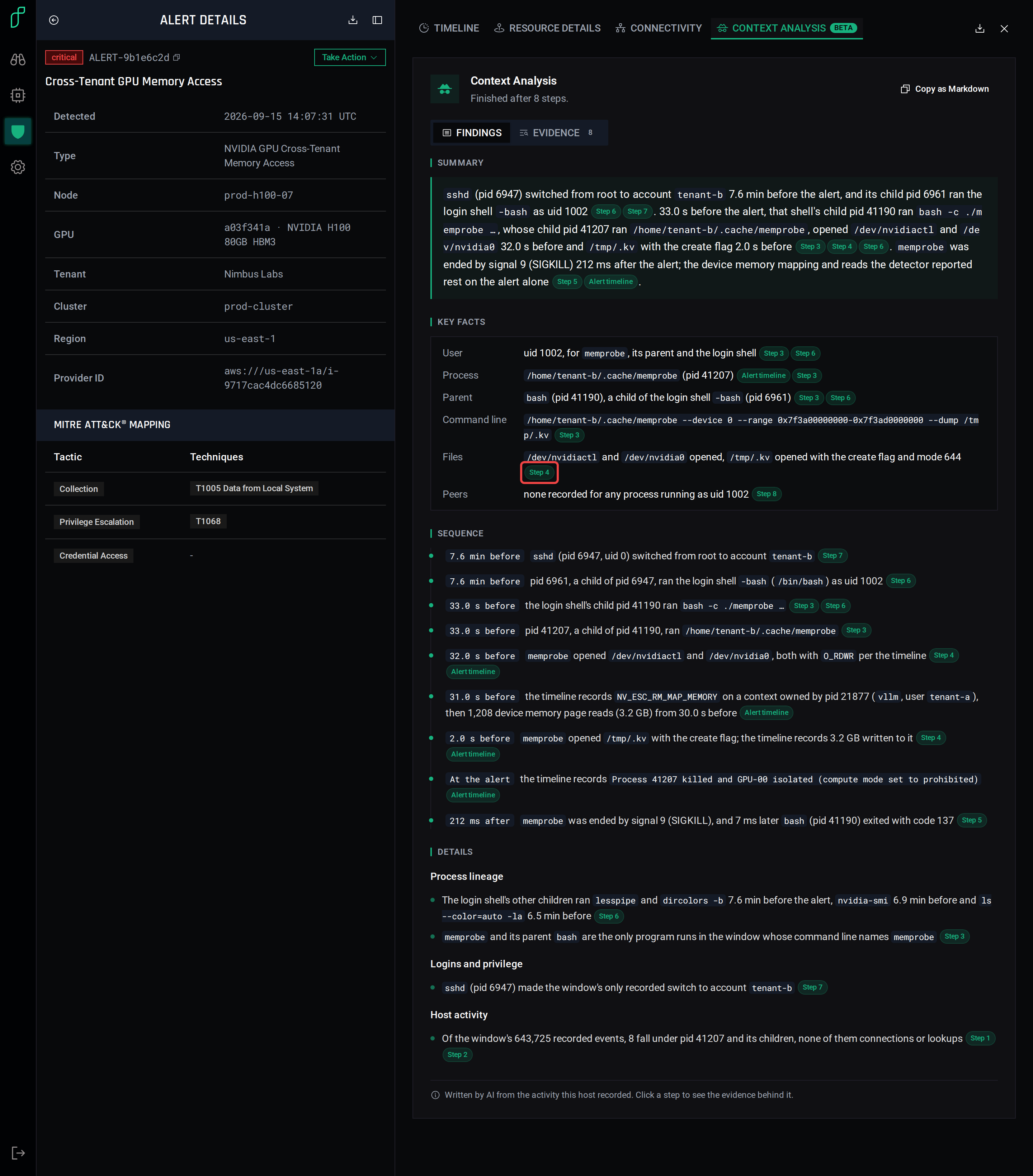
The findings report what the recordings show and leave the verdict to you: they don't rate the alert's severity, call it a false positive, or recommend next steps.
Findings cite what they rest on: a Step chip opens that step's evidence, and an Alert timeline chip marks what was taken from the alert itself and opens its Timeline tab. Copy as Markdown copies the findings, which aren't part of Download Report.
Checking the evidence
Evidence lists every step; select one to see the events or per-group counts it returned. A step that couldn't be completed shows No result, and the findings don't rest on it.
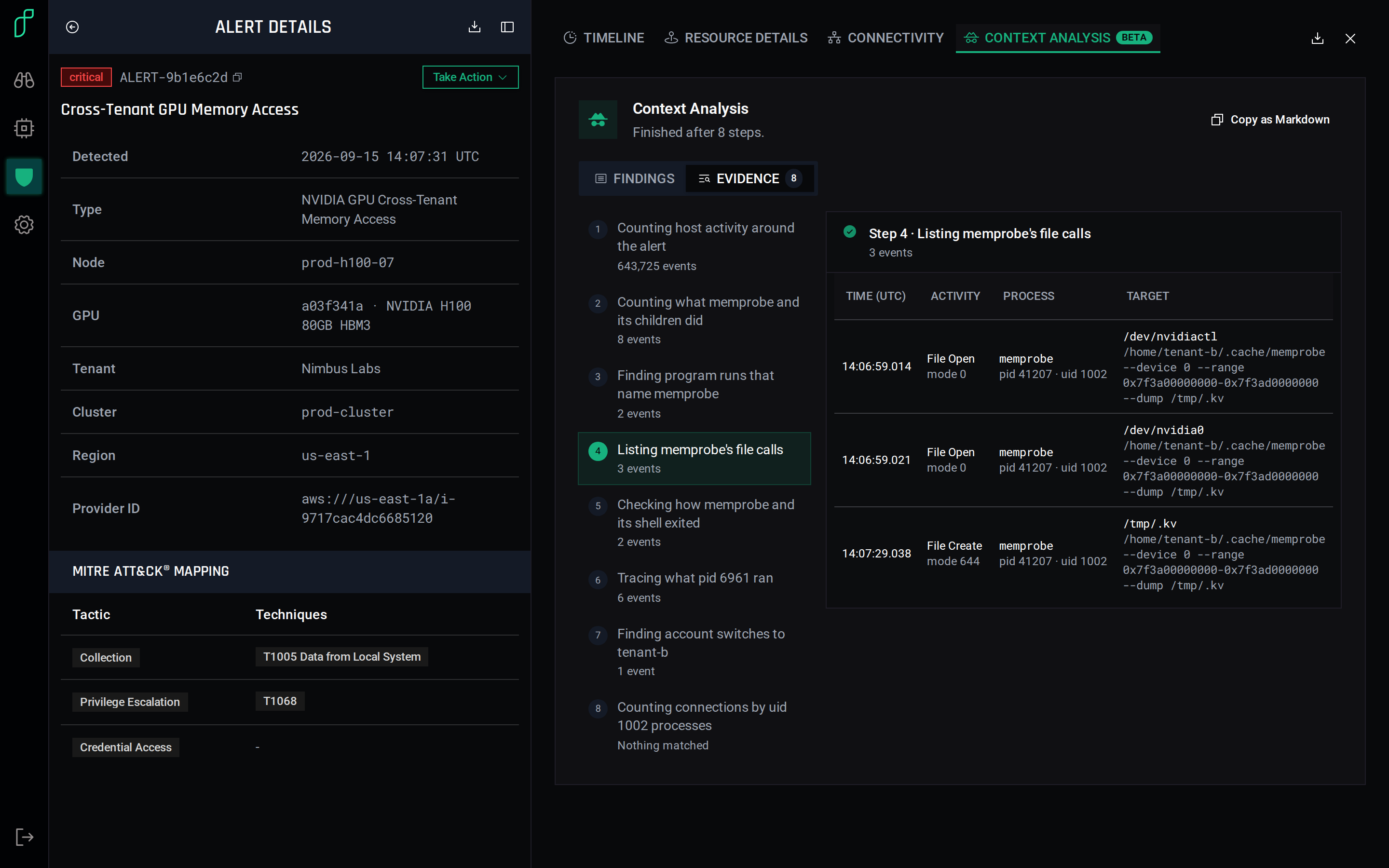
The findings are written by AI, so check a finding against its evidence before acting on it.